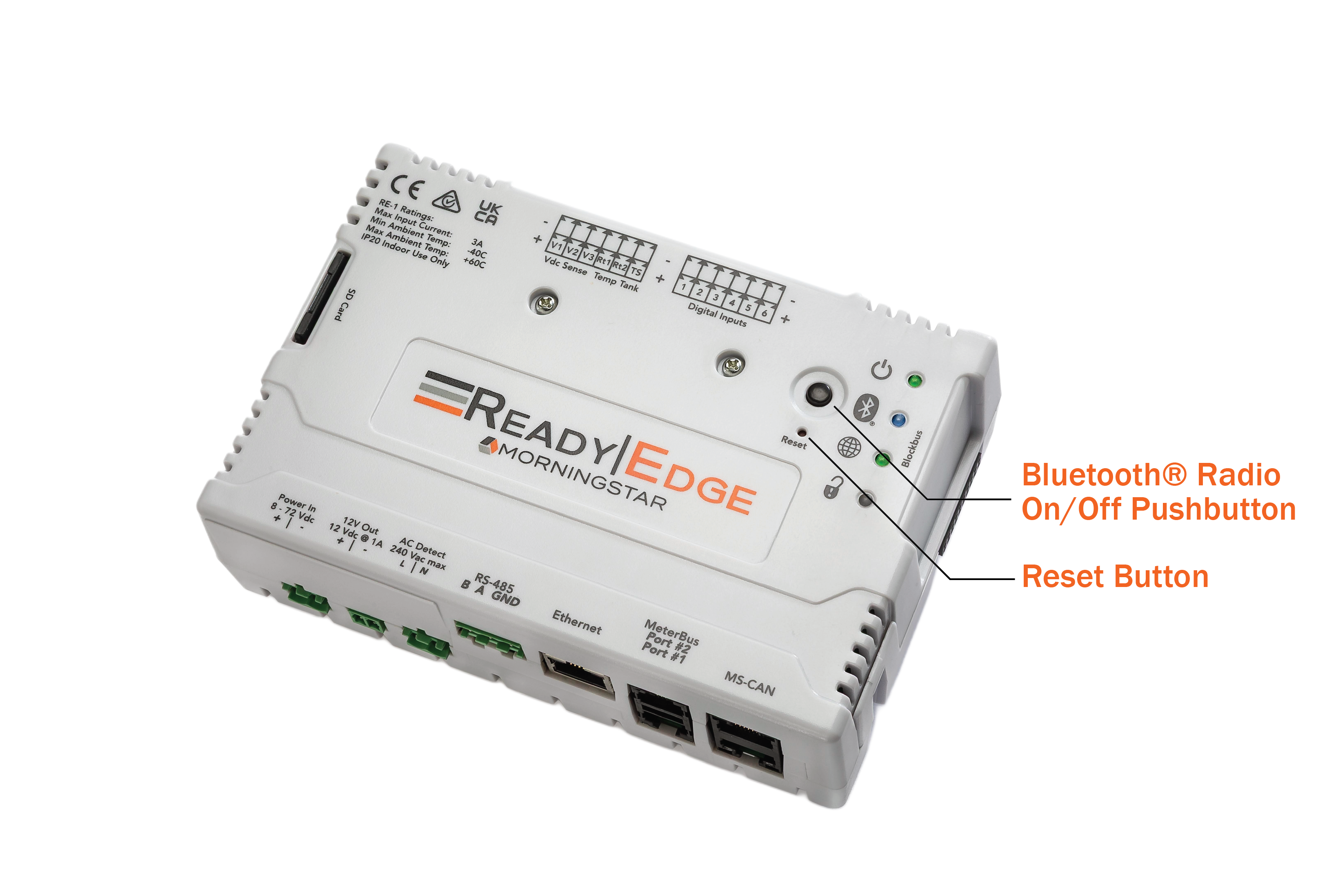
Bluetooth and Reset Button Locations
Bluetooth Radio On/Off Pushbutton
Button | Action | Indication |
|---|---|---|
Momentary Press | Toggle the wireless Bluetooth radio on and off | Blue Bluetooth indicator: ON = Radio On / OFF = Radio Disabled |
Reset Button
See Section 3.1 Default Configuration for details
DIP Switches
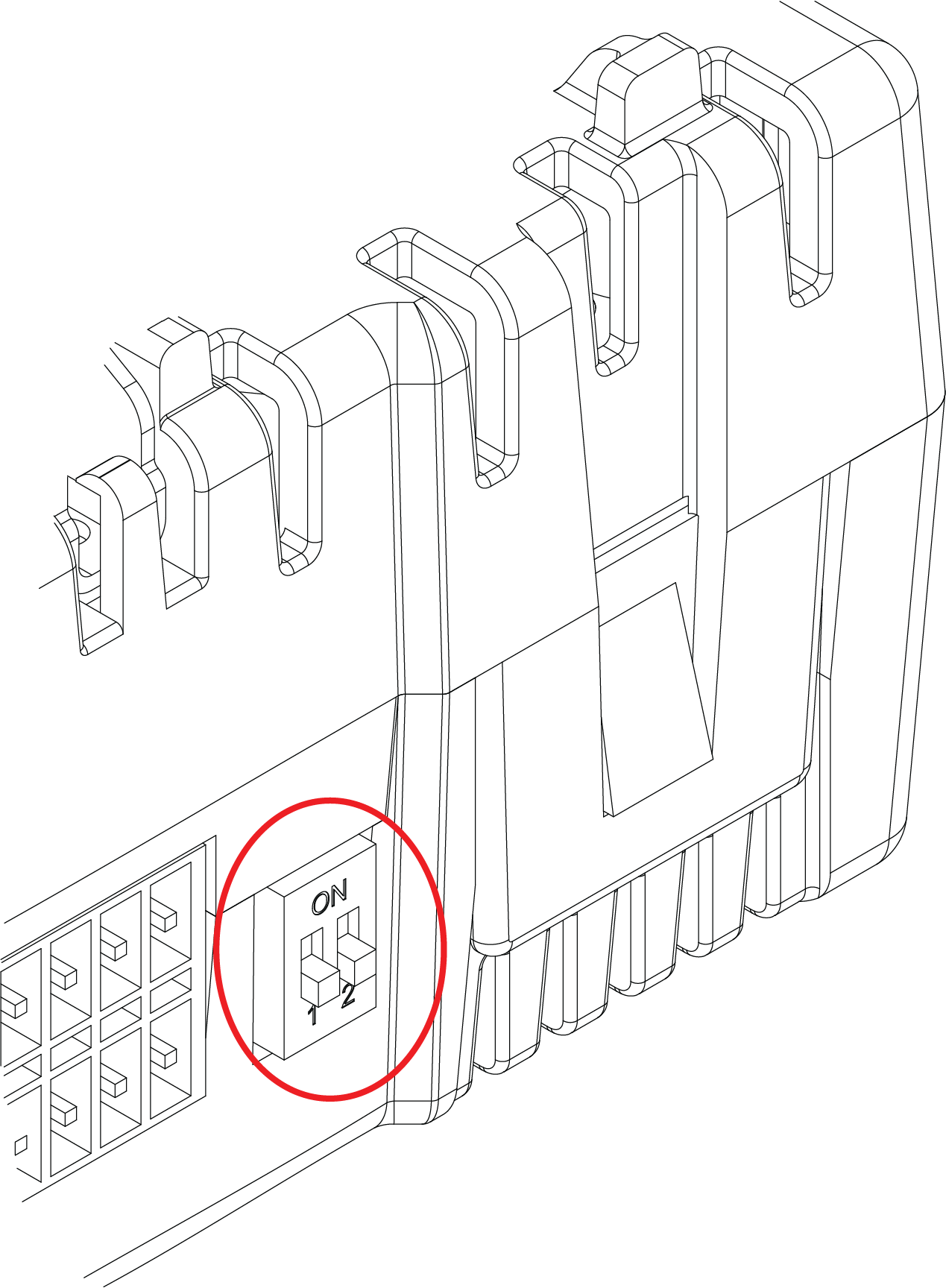
ReadyEdge DIP switches location
DIP Switch | Function |
|---|---|
1 | Read-Only Mode: ON = Enabled OFF = Disabled |
2 | Future / not used |
The Read-Only Mode feature prevents further configuration changes via the LiveView, Mobile App, SNMP, and Modbus TCP interfaces.
CAUTION: The Read-Only feature does not prevent modification of settings using direct serial communications.