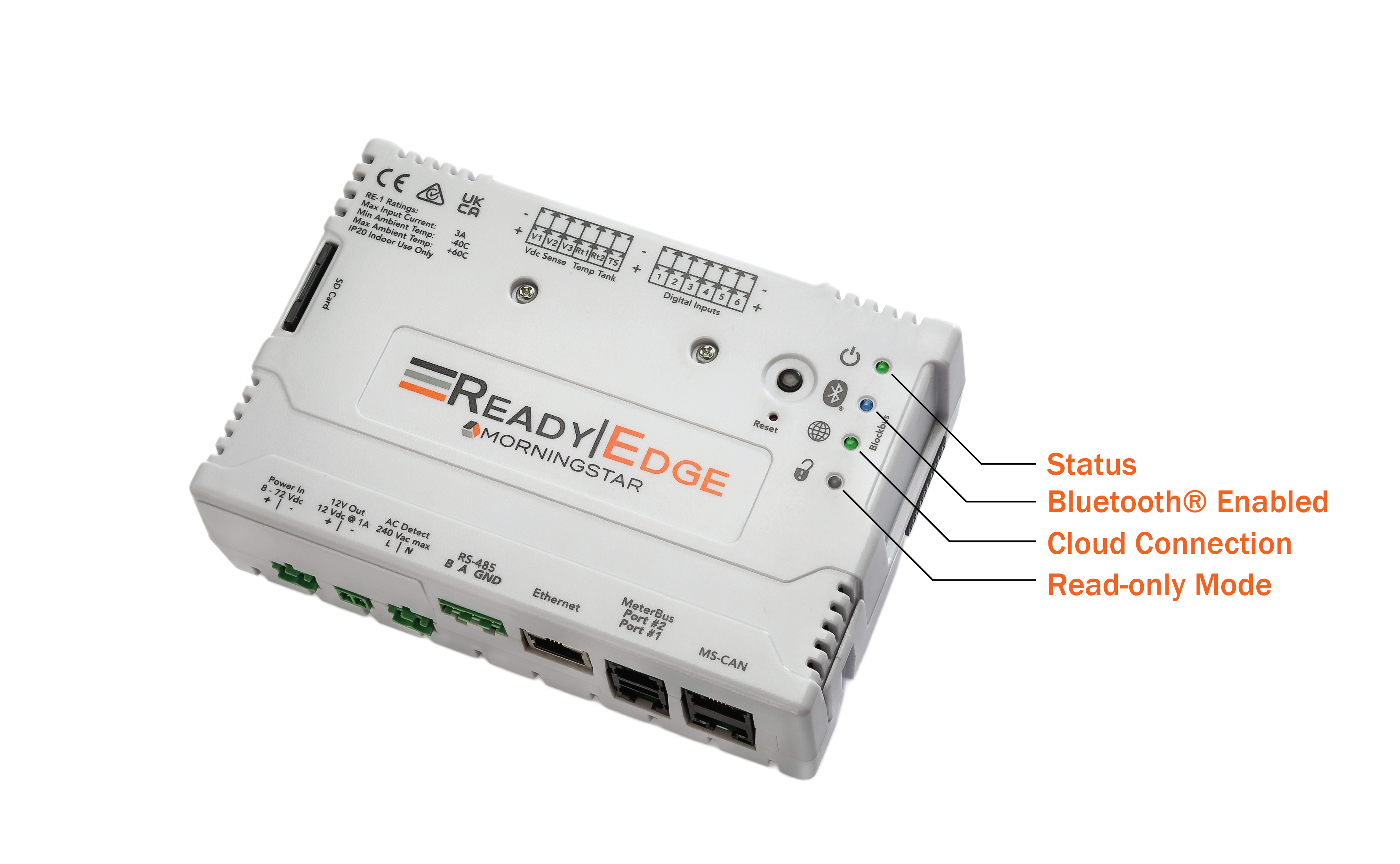
ReadyEdge Indicators
Status Indicator | ||
Green-solid | All OK | Normal operation |
Green-flashing | Firmware Update | ReadyEdge is undergoing a Firmware Update (do not remove power!) |
Red-solid | ReadyEdge Fault | An issue with the ReadyEdge was detected |
Red-flashing | Connected Product Fault | One or more Connected Products reports an issue |
Bluetooth Enabled Indicator | ||
Unlit | Bluetooth Disabled | Bluetooth radio is disabled, no Mobile App connectivity |
Blue-solid | Bluetooth Enabled | Bluetooth radio is active, Mobile App connectivity allowed |
Cloud Connection - Morningstar Solar Connect Indicator | ||
Unlit | Not Connected | Cloud service is not enabled in software or unable to connect to the cloud service |
Green-solid | Cloud Service Connected | Connection to the cloud service is active |
Read-only Mode Indicator | ||
Green-solid | Writes Allowed | Changes to operational settings can be made across the various communication interfaces |
Red-solid | Read-only Mode Enabled | No changes to operational settings are allowed |
NOTE: The Status LED features a “heartbeat” flicker approximately once per second on solid green or solid red indications. The flicker provides visual proof the ReadyEdge software is operating normally.