The ReadyEdge features a bank of analog signal inputs that can measure DC voltage, temperatures, and levels in a tank. The Analog Inputs port features a removable termination plug with spring-clamp terminals. It may be convenient to remove the plug, make the wiring connections, and then reinsert the plug in the location shown in the illustration above once all wiring connections have been made.
Vdc Sense - Up to (3) Inputs
CAUTION: The grounding polarity of Vdc Sense inputs MUST match the grounding polarity of the ReadyEdge power input source.
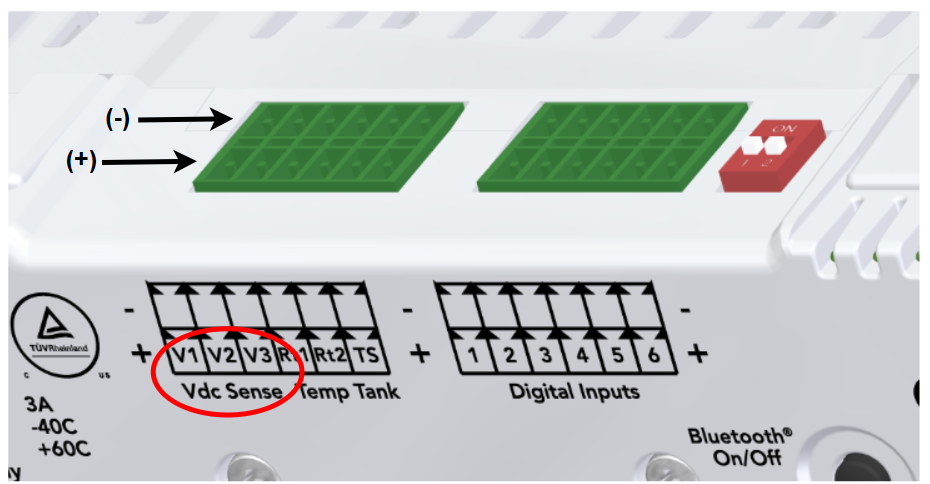
Vdc Sense measures voltage from DC sources such as batteries, DC power supplies, or other DC circuits.
The Vdc voltage measurement is a data input that the ReadyEdge can use for Load Control and Generator Feedback (confirming if the generator is on or not). The ReadyRelay ReadyBlock provides load control functionality. See Load Control Configuration for details.
Vdc Sense Value is displayed in the ”System” section of the LiveView page (“ReadyEdge” tab).
Connect the DC circuit to be measured to a Vdc Sense Analog input. Make sure the connection is made with correct polarity that matches the markings on the ReadyEdge as shown in the illustration above.
Ensure a sufficient amount of insulation has been stripped from the wires and the spring termination has securely clamped the wiring conductors.
Repeat for the other two Vdc inputs as needed.
Temperature Sensor - Up to (2) Inputs
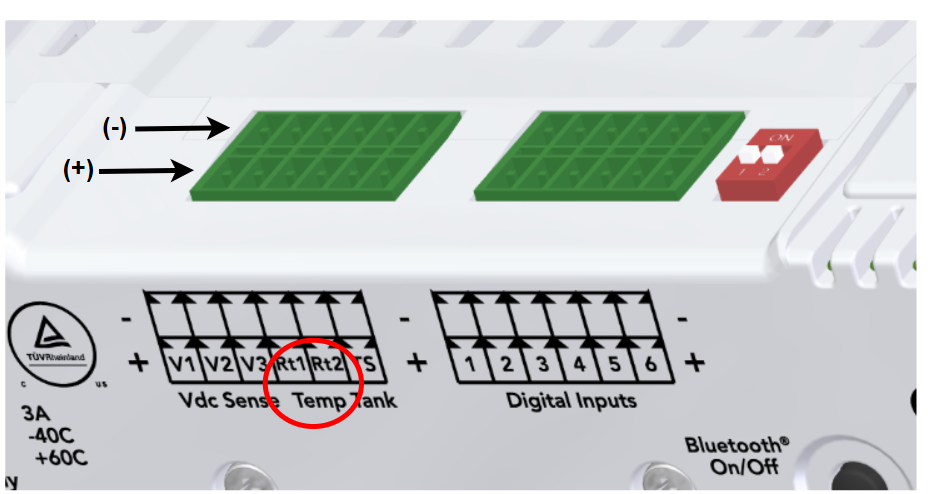
Measures up to (2) temperature(s) using Morningstar Remote Temperature Sensors (RTS).
The Temperature Sensor inputs can be used to monitor ambient temperature, battery bank temperature, or the temperature of any other device. The RTS can measure temperatures in the range of -30C to +80C.
Connect the RTS wires to the “Temp” terminal locations of the terminal plug. Note that the RTS does not have a polarity. Either wire can go to either + / - termination.
Ensure a sufficient amount of insulation has been stripped from the wires and the spring termination has securely clamped the wiring conductors.
Repeat for the second Temperature Sensor as needed.
Tank Sensor - (1) Input
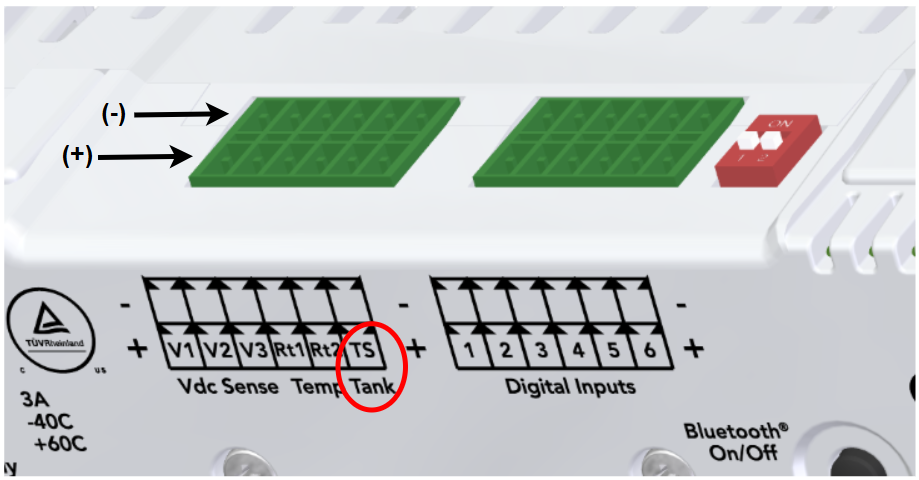
Connect a resistive tank sensor that conforms to one of the following tank sensor standards:
Standard | Resistance @ 0% | Resistance @ 100% |
|---|---|---|
SAE (N. America) | 240 ohms | 33 ohms |
European | 0 ohms | 180 ohms |
The Tank Sensor % Value is displayed in the “System” section of the LiveView page (“ReadyEdge” tab).
Connect the tank or water level sensor wires to the ReadyEdge Tank Sensor terminals. Make sure the polarity of the connection matches the tank sensor documentation.
Ensure a sufficient amount of insulation has been stripped from the wires and the spring termination has securely clamped the wiring conductors.
Complete this step by inserting the wired terminal block plug into the terminal socket on the ReadyEdge labeled “Analog Inputs”.