To access your device from within the SolarConnect service, you first need to Claim it. Claiming a device
After enabling the SolarConnect on your product, it is now available to be claimed within the Morningstar SolarConnect online site.
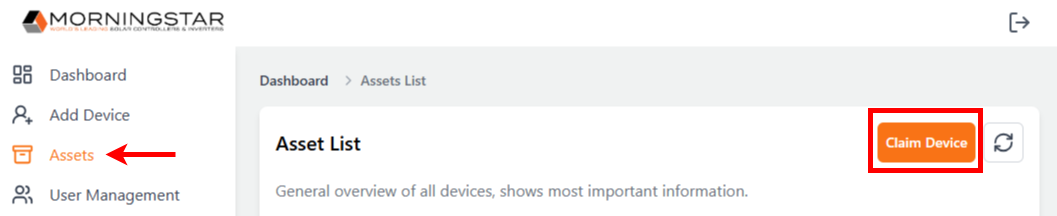
Click Add Device in the navigation pane OR select Assets in the navigation pane and click “Claim Device”
Enter the unique Claim Code for your device (claim code is case-sensitive). Available on/in:
Claim Code Card included in the product box
Local Display (for Devices that have a local display)
LiveView Web App
Mobile App (future)
Enter the desired Display Name for your device and click Claim Device.
.png)
Your device will now be visible on the Dashboard and Asset list pages.